Download Naruto Senki For PC – Windows 7, 10, 11
Playing Naruto Senki on a mobile phone can be fun, but the small screen and touch controls may not give you the experience you want. If you prefer a larger display, keyboard controls, and a more comfortable way to play, you may be looking for a simple way to run the game on your Windows PC.
The good news is that you can play Naruto for PC with the help of an Android emulator. Once the emulator is set up, you can install the game, configure the controls, and enjoy battles on a bigger screen without relying on mobile touch controls.
We will explore what Naruto Senki for PC is, the requirements you need, how to install and play it on Windows, the best emulator settings, PC controls, common problems, and ways to fix lag or performance issues.
What Is Naruto Senki for PC?
This 2D fighting game is based on the popular Naruto anime series. It lets players choose different Naruto characters and fight against opponents using basic attacks, special abilities, and powerful moves. The game is known for its fast-paced battles and simple controls, making it easy to pick up while still offering plenty of action.
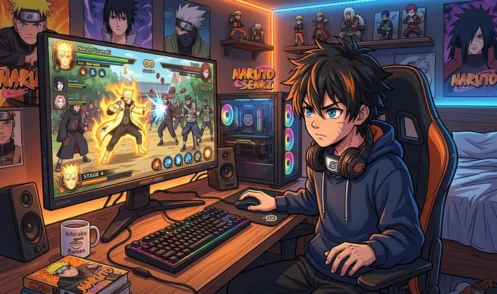
Naruto for PC can be played through an Android emulator that creates a mobile-like environment on Windows. Popular emulators such as LDPlayer, BlueStacks, and MuMu Player can run Android games on a computer, while keyboard controls and a larger screen can make the gameplay more comfortable.
Can You Play It on PC?
Yes, you can play Naruto Senki on a Windows PC, including Windows 10 and Windows 11, by using an Android emulator. LDPlayer is a popular option for running Android games, and you can install the game through the emulator before setting up your keyboard controls. With a larger screen, keyboard support, and a more comfortable setup, playing on PC can make your gaming experience more enjoyable.
PC Requirements
Naruto Senki does not require a powerful gaming PC, but your system should have enough resources to run the Android emulator smoothly. Basic requirements include:
- Operating System: Windows 7, 8, 10, or 11
- Processor: Intel or AMD dual-core processor
- RAM: 4 GB or more
- Storage: At least 5 GB of free space
- Graphics: Integrated graphics or better
- Internet: Stable internet connection for downloading and installing the game
How to Play Senki on PC
Bluestack
You can play this game on your Windows PC with BlueStacks. It is an Android emulator that lets you run mobile games on a computer. You just need to install BlueStacks, add the APK file, and open the game.
Download and Install BlueStacks.
First, download BlueStacks on your PC from the official website. Open the setup file and follow the steps on the screen. Once the installation is complete, open BlueStacks.
Download APK
Next, download the Naruto Senki APK. Save the file on your PC where you can find it easily, such as the Downloads folder.
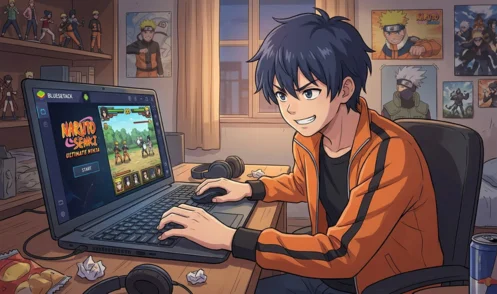
Install Naruto Senki on BlueStacks.
Open BlueStacks and click Install APK from the side menu. Find the APK file on your PC and select it. BlueStacks will install the game, and its icon will appear on the home screen.
Play Naruto on PC.
Click the game icon to open it. Wait for it to load, then set up the controls if needed. You can now enjoy playing on your PC with a bigger screen and keyboard controls.
MEmu Player
Download MEmu Player from its official website and install it on your Windows PC by following the setup steps. Open the MEmu Player, click the APK Install option, and select the Naruto Senki APK file saved on your computer. Wait a few moments for the installation to finish, then open the game from the MEmu home screen and start playing.
LDPlayer
Download LDPlayer from its official website and install it on your Windows PC by following the setup steps. Open LDPlayer, click the Install APK option, and select the Naruto Senki APK file from your PC. Wait for the installation to finish, then open the game from the LDPlayer home screen and start playing. The first launch may take a little time while the game loads.
Benefits of Playing Senki on PC
Bigger Screen
A PC gives you a larger screen, making characters, attacks, and battles easier to see.

Keyboard Controls
You can use your keyboard to control the game, which can feel easier and more responsive than touch controls.
More Comfortable Gameplay
Playing on a PC can be more comfortable during long gaming sessions because you do not need to hold your phone all the time.

Saves Your Phone Battery
Playing on your PC means you do not have to use your phone battery for long gaming sessions.
More Stable Gaming Setup
A PC can give you a steady gaming setup with a larger display, keyboard, and mouse, making the overall experience more enjoyable.
Naruto Senki PC Controls
The exact keys can be changed in the emulator, so the following setup gives you a simple starting point for playing the game with a keyboard.
- W / A / S / D: Move your character in different directions.
- J: Use the basic attack.
- K: Use the first skill.
- L: Use the second skill.
- U: Use a special or ultimate attack.
- I: Use another available ability
- Custom Key Mapping: If these keys do not match your version, open the emulator’s key-mapping tool and assign buttons according to your preference.
- Save Your Layout: Keep your custom controls saved so you do not need to set them again every time you open the game.
How to Fix PC Lag
If Naruto Senki is lagging on your PC, close unnecessary apps, free up some RAM, and make sure your emulator is using enough CPU and memory. You can also lower the emulator’s resolution and graphics settings, then restart the game to check if the performance improves. Keeping your emulator and graphics drivers updated can also help reduce slowdowns and stuttering.
FAQs
Conclusion
Playing Naruto Senki on a PC gives you a bigger screen, keyboard controls, and a more comfortable gaming setup. With an Android emulator such as BlueStacks, LDPlayer, or MEmu Player, you can install the game and start playing on Windows without much effort. If you want to enjoy it with better controls and a larger display, playing on PC can be a good option.